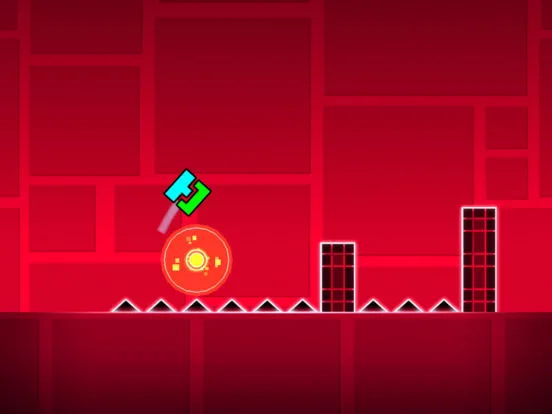
Troubleshoot Geometry Dash bugs. Learn about common visual glitches, gameplay issues, and performance problems with potential workarounds and solutions.
Encountering unexpected issues? common bugs and glitches found in Geometry Dash, offering potential workarounds and explanations to help you troubleshoot and maintain a smooth gameplay experience.
While Geometry Dash is generally a stable game, like any software, it can occasionally exhibit bugs or glitches. These can range from minor visual annoyances to issues that impact gameplay. Understanding common problems and their potential causes can help you resolve them or at least know what to expect. This guide outlines some frequently encountered bugs and glitches.
Visual Glitches:
- Object Z-Fighting: Sometimes, two objects placed very close together or on the same layer can flicker or appear to fight for rendering priority. This is more common in complex user-created levels with many overlapping elements.
- Texture Stuttering/Flickering: This can occur on lower-end hardware or with outdated graphics drivers, causing textures to appear unstable.
- Incorrect Object Rendering: Certain complex animations or trigger combinations might occasionally cause objects to render incorrectly, appearing distorted or misplaced.
Gameplay-Related Bugs:
- Hitbox Misalments (Perceived): While hitboxes are generally consistent, in very rare cases or with specific trigger setups, players might perceive a death that seems unfair due to subtle hitbox interactions. This is often more a matter of understanding the precise collision than a true bug.
- Trigger Not Activating/Deactivating: Sometimes, triggers might not fire as expected, or their effects might persist when they shouldn't. This is often due to incorrect group ID assignments, timing issues, or conflicts with other triggers.
- Portal Malfunctions: Portals (like gravity portals or ship portals) might occasionally fail to switch modes correctly, or the transition might be jarring.
- Dual Mode Issues: In dual mode, where two icons are controlled simultaneously, synchronization issues or unexpected movements can sometimes occur, especially with complex level dess.
- Save File Corruption: In rare instances, save files can become corrupted, leading to lost progress. This is more common on unstable systems or if the game is closed improperly.
Performance-Related Issues (Often mistaken for bugs):
- Lag and Stuttering: As discussed in performance optimization, this is usually due to the complexity of user-created levels overwhelming the game engine or hardware, rather than a true bug.
- Frame Rate Drops: Similar to lag, often caused by demanding visual effects or too many objects.
Troubleshooting and Workarounds:
- Restart the Game/Device: The simplest solution for many minor glitches is to close and reopen Geometry Dash, or even restart your computer or mobile device.
- Lower Graphics Settings: For visual glitches and performance issues, reducing graphics quality, disabling effects, and lowering the frame rate limit in the options menu can often resolve the problem.
- Update Graphics Drivers (PC): Ensure your graphics drivers are up to date. Outdated drivers are a common source of visual bugs.
- Verify Game Files (Steam): If you're on PC, right-click Geometry Dash in your Steam library, go to 'Properties' > 'Local Files' > 'Verify integrity of game files.' This checks for and replaces any corrupted or missing game files.
- Reinstall the Game: As a last resort, uninstalling and then reinstalling Geometry Dash can fix persistent issues, but ensure you back up your save data if possible.
- Check Level Complexity: If a specific user-created level is causing issues, it's likely due to its complexity. Try a different level or report the issue to the creator if you suspect a genuine bug in their des.
- Avoid Improper Exits: Always exit Geometry Dash properly through its menus. Force-closing the application, especially during saving, can increase the risk of save file corruption.
While some bugs are inherent to game development, many common issues in Geometry Dash can be mitigated through proper settings, maintenance, and an understanding of the game's mechanics.
100% Human-Written. AI Fact-Checked. Community Verified. Learn how AntMag verifies content