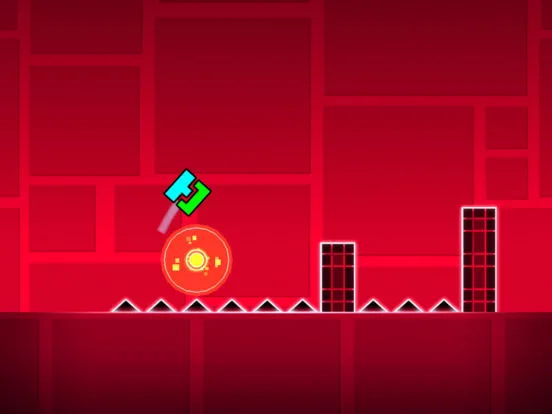
Learn Geometry Dash basics. Master jumping, gravity portals, speed portals, and orbs. Essential controls for new players to start playing.
Master the fundamental controls of Geometry Dash. This guide explains how to jump, navigate gravity portals, and understand the basic movement mechanics essential for beginners.
Geometry Dash is a rhythm-based platformer that, at its core, relies on precise timing and simple controls. For new players, understanding these basic controls is the first and most crucial step to success. This guide will break down the fundamental mechanics of movement and interaction within the game.
The Core Mechanic: Jumping
In its default 'Cube' mode, your icon automatically moves from left to right across the screen. The primary way to interact with the environment is by jumping.
- Tap/Click to Jump: Simply tapping or clicking anywhere on the screen will make your icon jump.
- Hold for Higher Jump: The duration for which you hold the tap or click determines the height of the jump. A quick tap results in a short hop, while holding the tap allows your icon to ascend higher. Releasing the tap causes your icon to fall back down due to gravity.
This simple mechanic is the foundation for navigating most obstacles. You'll need to time your jumps perfectly to clear spikes, gaps, and other hazards.
Gravity Portals
Gravity portals are special objects found within levels that instantly alter the direction of gravity for your icon.
- Flipping Gravity: When your icon passes through a gravity portal, it will flip upside down. This means your icon will now fall upwards when you release the tap and ascend when you tap.
- Navigating Upside Down: The controls remain the same conceptually: tap to 'jump' (which now means moving away from the ground/ceiling), and release to 'fall' (moving towards the ground/ceiling). You need to adjust your mental model to account for the reversed gravity.
- Returning to Normal: Another gravity portal will flip your icon back to its original orientation.
Movement Speed
Levels often feature speed portals that change how fast your icon moves.
- Speed 1x, 2x, 3x, 4x: These portals increase your movement speed. Higher speeds require quicker reflexes and more precise timing.
- Visual Cues: Pay attention to the visual indicators and the music; faster speeds often correspond to more intense sections of the song.
Orbs
Orbs are interactive objects that trigger specific actions when touched.
- Jump Orbs: These act as instant jumps, often providing a higher or more immediate boost than a standard tap. They are crucial for reaching higher platforms or clearing obstacles quickly.
- Gravity Orbs: These function identically to gravity portals, instantly flipping your icon's gravity upon contact.
- Speed Orbs: These portals increase your movement speed, similar to speed portals but often used for shorter bursts.
Obstacles and Hazards
The primary challenge in Geometry Dash comes from avoiding obstacles, most commonly spikes. Touching any obstacle results in instant death, forcing you to restart the level from the beginning (or from your last checkpoint in Practice Mode).
Practice Mode
Geometry Dash includes a 'Practice Mode' which is invaluable for learning controls and level layouts.
- Placing Checkpoints: In Practice Mode, you can tap anywhere on the screen to place a checkpoint. This allows you to restart from that point instead of the beginning of the level.
- Learning Curves: Use Practice Mode to get comfortable with the timing of jumps, the effects of gravity portals, and the patterns of obstacles without the frustration of restarting from scratch every time.
Mastering these basic controls – tapping to jump, understanding gravity flips, and utilizing orbs – is the essential first step to enjoying and succeeding in Geometry Dash. With practice, these mechanics will become second nature, allowing you to focus on the rhythm and challenges of each level.
100% Human-Written. AI Fact-Checked. Community Verified. Learn how AntMag verifies content