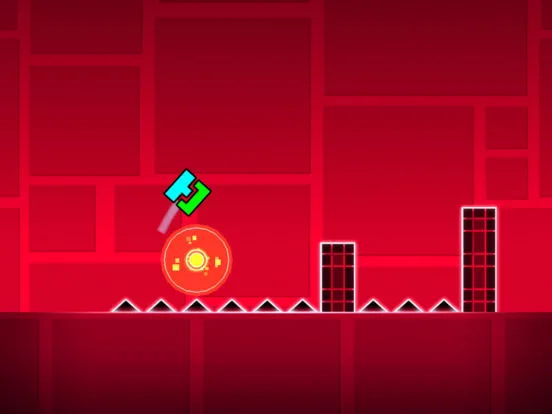
Connect with the Geometry Dash community. Find forums and Discord servers to share creations, get help, and stay updated with players and creators.
Connect with fellow players and creators by exploring the vibrant Geometry Dash community. This section highlights essential resources like forums and Discord servers where you can find help, share creations, and stay updated.
The Geometry Dash community is one of its strongest assets, fostering a collaborative and passionate environment. Beyond the in-game features, a wealth of external resources exists to help players connect, learn, and share. Whether you're seeking advice on level des, looking for tips on beating difficult levels, or simply want to chat with other fans, these community hubs are invaluable.
Official and Unofficial Forums:
- Geometry Dash Subreddit (r/geometrydash): This is arguably the largest and most active community hub. You'll find discussions on everything from new updates and level showcases to memes, tips, and help requests. It's a great place to get a pulse on the community.
- RobTop Games Forum (Unofficial/Community-Run): While RobTop Games doesn't host an official forum, various community-run forums have existed over the years. Searching for 'Geometry Dash forum' might lead you to active ones where discussions on level creation, game mechanics, and general chat take place.
Discord Servers:
Discord is the go-to platform for real-time chat and community building. Many Geometry Dash communities have dedicated Discord servers:
- General Geometry Dash Discords: Search for large, established Geometry Dash Discord servers. These often have channels for:
- Level Sharing: Showcase your creations and get feedback.
- Help & Support: Ask questions about gameplay or the editor.
- General Chat: Discuss anything related to the game.
- Level Rating/Verification: Communities dedicated to helping creators get their levels rated.
- Specific Creator Discords: Many popular Geometry Dash YouTubers and streamers have their own Discord servers where fans can interact directly with them and each other.
- Finding Discord Servers: Look for invite links on subreddits, YouTube video descriptions, or by asking in existing Geometry Dash communities.
YouTube and Streaming Platforms:
- Content Creators: YouTubers and Twitch streamers play a massive role in the Geometry Dash community. They showcase difficult levels, provide tutorials, host challenges, and offer entertainment. Following popular creators like Etzer, Cyclic, Viprin, and others can provide inspiration and insights.
- Tutorials and Walkthroughs: Many creators produce detailed tutorials on level editor techniques, trigger explanations, and walkthroughs for challenging official and user-created levels.
Other Resources:
- Geometry Dash Wiki: A comprehensive source of information on game mechanics, levels, items, and community lore.
- Social Media: While less structured, platforms like Twitter can be used to follow developers, creators, and community news.
How to Engage Effectively:
- Be Respectful: Treat all community members with respect.
- Ask Clear Questions: When seeking help, provide as much detail as possible.
- Share Your Work: If you create levels, don't be afraid to share them and ask for constructive criticism.
- Contribute Positively: Engage in discussions, offer help to others, and be a positive influence.
These community resources are vital for anyone looking to deepen their engagement with Geometry Dash, offering support, inspiration, and a sense of belonging.
100% Human-Written. AI Fact-Checked. Community Verified. Learn how AntMag verifies content