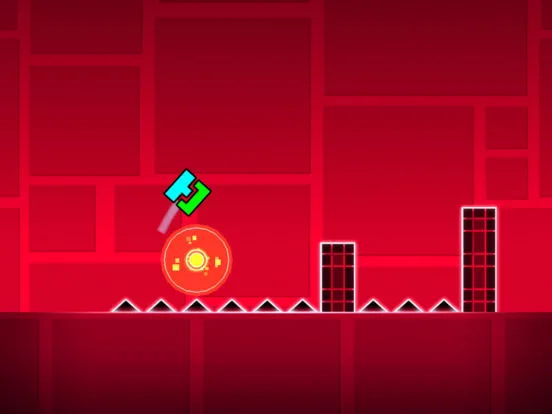
Master Geometry Dash Spider mode. Learn its unique anchor point switching, unlock icons, and master strategies for precise directional changes.
The Spider portal introduces a unique mechanic where your icon can switch between two gravity-defying points, allowing for rapid directional changes. Mastering the spider's dual-state movement and precise switching is key to navigating its often intricate and fast-paced levels.
The Spider gamemode is a fascinating addition that fundamentally alters how you interact with the level. Upon entering a Spider portal, your icon gains the ability to switch between two designated points, effectively allowing it to cling to surfaces and rapidly change direction. This mode demands a keen understanding of spatial awareness and the ability to anticipate where the next switch should occur.
Unlocking Spider Icons: Spider icons are primarily unlocked through achievements and by collecting secret coins in official levels. Many achievements are tied to completing specific challenges, such as reaching a certain number of stars, completing levels with a particular gamemode, or achieving a certain number of successful jumps. Secret coins found within official levels are a significant source of new spider icons. The Shard shop also frequently offers unique spider icons for purchase using collected Shards.
Usage and Strategies: When your icon is in Spider mode, it will automatically adhere to the nearest of two designated "anchor points" (often visualized as glowing orbs or platforms). Your input (a click or tap) causes the spider to instantly switch to the *other* anchor point. This allows for rapid vertical and horizontal movement, as well as complex maneuvers.
- Understanding Anchor Points: Always be aware of the location of the two anchor points. Your movement is dictated by which point you are currently attached to and where the other point is located.
- Precise Switching: The key to mastering the spider is precise switching. You need to time your clicks to switch to the correct anchor point to avoid obstacles or reach the next platform.
- Vertical and Horizontal Movement: The spider can move both vertically and horizontally by switching between anchor points that are positioned accordingly. For example, if anchor points are above and below you, you can switch to move up or down. If they are left and right, you can switch to move horizontally.
- Anticipating Obstacles: Levels designed for the spider often feature tight corridors, moving obstacles, and sequences that require rapid switching. Practice anticipating the path and timing your switches accordingly.
- Rhythm and Flow: As with all modes, rhythm is crucial. Listen to the music and try to sync your switches with the beat. This will help you maintain a smooth and consistent flow through the level.
- Combining with Other Portals: Be prepared for levels that combine the spider mode with other portals, such as speed changes or gravity portals, which can further complicate the spider's unique movement.
| Unlock Method | Example |
|---|---|
| Achievements | Completing 100 levels |
| Secret Coins | Collecting 3 secret coins in 'Fingerdash' |
| Shard Shop | Purchasing with 750 Shards |
100% Human-Written. AI Fact-Checked. Community Verified. Learn how AntMag verifies content