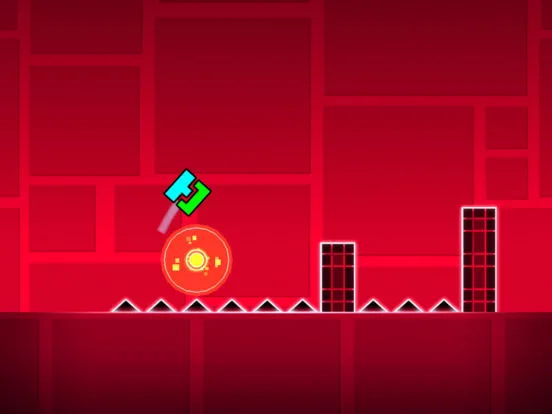
Learn how to effectively rate and comment on Geometry Dash levels. Contribute to the community and provide constructive feedback to creators.
Engage with the Geometry Dash community by rating and commenting on levels. Learn how to provide constructive feedback, appreciate creators' work, and contribute to the level discovery process.
The Geometry Dash community thrives on interaction. Beyond playing levels, players have the ability to rate and comment on them, providing valuable feedback to creators and helping other players discover great content. Participating in this aspect of the community enhances the overall experience for everyone involved.
Rating Levels
After completing a level (or even if you don't), you can rate it. Ratings are typically represented by stars.
- Star Rating: The most common rating is the star. You can give a level a positive star (thumbs up) or a negative star (thumbs down). This directly influences whether a level gets featured or considered 'good' by the community and RobTop.
- Epic Rating: If a level is particularly well-made, creative, or challenging, it might be deemed 'Epic.' This is a special rating that often requires a certain number of positive ratings and potentially community consensus. Epic levels are highlighted and often receive more attention.
How to Rate: After finishing a level, you'll usually see options to rate it. On PC, this might be through buttons on the level completion screen. On mobile, it's typically an icon on the level's information page.
Commenting on Levels
Comments are a direct way to communicate with the creator and other players.
- Constructive Feedback: If you enjoyed a level, leave a positive comment! Mention what you liked – the music sync, the gameplay, the art, the difficulty. If you encountered issues, provide specific, constructive feedback. Instead of saying 'this level is bad,' try 'I found the jump in the ship section at 45% to be very difficult to time correctly due to the speed.'
- Appreciation: Creators put a lot of effort into their levels. A simple 'great level!' or 'amazing art!' can go a long way.
- Questions: You might have questions about a specific part of the level or how a certain effect was achieved. Comments are a good place to ask.
- Reporting: If a level contains inappropriate content, spam, or violates community guidelines, you can report it. This helps keep the community clean and safe.
- Community Interaction: Comments can foster discussions about the level, share tips for difficult sections, or even lead to friendships with other players.
How to Comment: Navigate to the level's information page. You'll find a section dedicated to comments where you can type your message and submit it.
The Importance of Ratings and Comments
- Creator Motivation: Positive feedback and constructive criticism are vital for creators to improve their skills and stay motivated.
- Level Discovery: Ratings and comments help filter and highlight the best levels, making it easier for players to find enjoyable content.
- Community Health: Reporting inappropriate content and providing helpful feedback contributes to a positive and thriving community.
Remember to be respectful and considerate in your comments. The Geometry Dash community is diverse, and a little kindness goes a long way. By actively participating in rating and commenting, you become a more integral part of the game's vibrant ecosystem.
100% Human-Written. AI Fact-Checked. Community Verified. Learn how AntMag verifies content