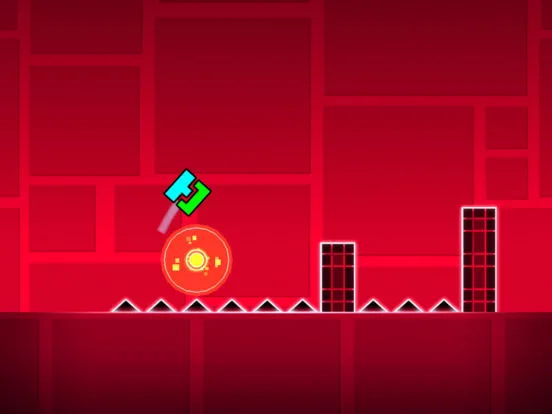
Stay updated with Geometry Dash. Learn about game updates, patches, new features, and how to find patch notes for the latest changes.
Geometry Dash is a game that evolves. Over time, developers release updates and patches to introduce new features, fix bugs, balance gameplay, and sometimes even add new official levels. Staying informed about these updates is essential for understanding changes to the game, taking advantage of new content, and troubleshooting any issues that might arise. This section will help you navigate the world of Geometry Dash updates.
Game updates are crucial for the longevity and improvement of any game. For Geometry Dash, they can range from minor bug fixes that address glitches in specific levels to major content drops that introduce entirely new game modes, mechanics, or a significant number of official levels. Understanding what each update entails can help you adapt to changes and make the most of your gaming experience.
Where to Find Information About Updates:
The best sources for information on Geometry Dash updates include:
- Official Social Media: The game's creator, RobTop, often announces major updates on platforms like Twitter.
- In-Game News/Announcements: Sometimes, significant updates will have a news section or announcement within the game itself.
- Community Forums and Websites: Dedicated Geometry Dash communities often discuss and break down update notes.
- App Store/Platform Updates: The description for the game update on your device's app store (e.g., Google Play Store, Apple App Store) will usually list the changes.
Common Types of Updates and Patches:
- Bug Fixes: These are small patches that address errors or glitches found in the game. This could include fixing a specific obstacle that behaves incorrectly, a trigger that doesn't work as intended, or a crash issue.
- New Content: Major updates often introduce new official levels, new icons, new game modes, or new objects and triggers for the level editor.
- Gameplay Balancing: Developers might adjust the difficulty of existing levels, tweak the mechanics of certain game modes, or rebalance the effectiveness of specific objects or triggers.
- Performance Improvements: Updates can include optimizations to make the game run smoother, especially on older devices or with complex user-created levels.
- Editor Enhancements: New features or improvements to the level editor itself, making it easier or more powerful to create levels.
- Security Updates: Patches to address any security vulnerabilities related to accounts or online features.
What to Do After an Update:
- Read the Patch Notes: Always take a moment to read what has changed. This will inform you about new features, bug fixes, and any potential adjustments you need to be aware of.
- Check for New Content: If new levels or icons were added, explore them!
- Test Your Levels (if you're a creator): If you have created levels, it's a good idea to test them after an update to ensure they still function correctly, especially if the update involved editor changes or trigger mechanics.
- Report New Issues: If you encounter any new bugs or unexpected behavior after an update, report them to the developers. This helps them further refine the game.
- Backup Your Data: While updates are generally safe, it's always a good practice to ensure your game data is backed up to the cloud before any major update.
Staying informed about Geometry Dash updates ensures you're always playing the most current and refined version of the game. It allows you to appreciate the ongoing development and contribute to a better gaming experience by reporting any issues you might encounter.
100% Human-Written. AI Fact-Checked. Community Verified. Learn how AntMag verifies content