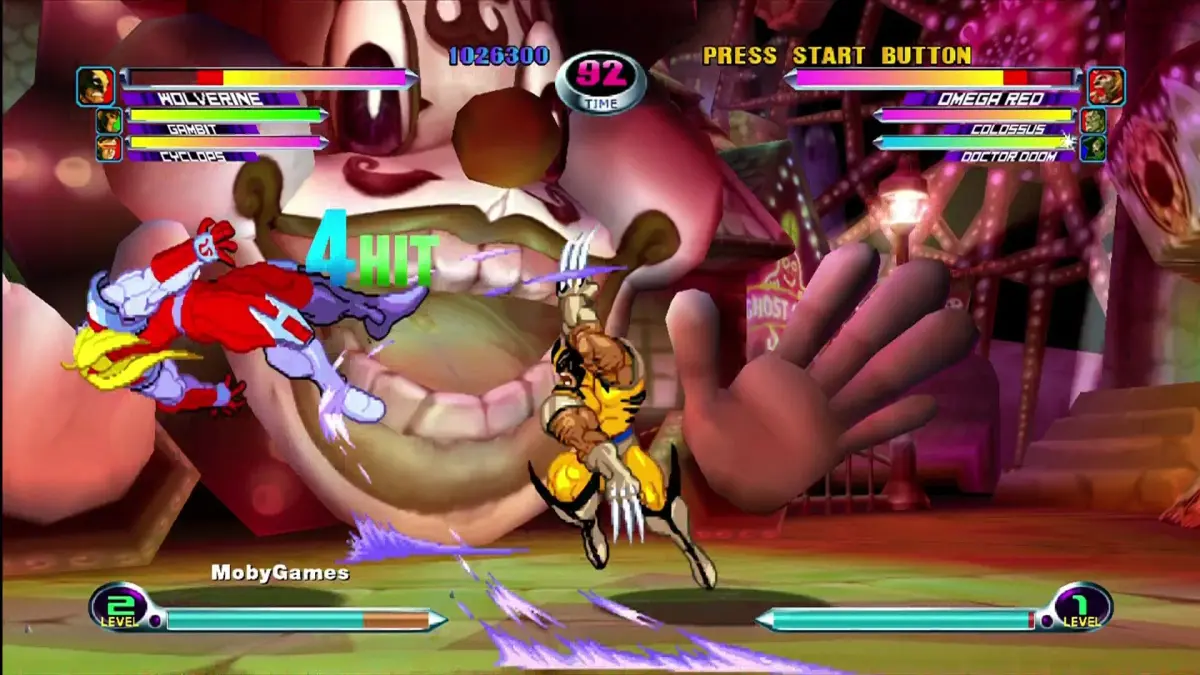
Explore the essential controls and commands for Marvel vs. Capcom 2: New Age of Heroes, including basic actions, advanced techniques, and character-specific move lists.
This section details the fundamental controls and advanced mechanics for Marvel vs. Capcom 2: New Age of Heroes. Understanding these commands is crucial for mastering the game's complex fighting system.
Key Terminology
- Super Jumping: Perform a jump that carries you higher and further than a standard jump.
- Assist Types (Alpha, Beta, Gamma): Different types of assists your partners can perform.
- HC / DHC: Hyper Combo / Delayed Hyper Combo. Powerful special moves that can be chained.
- H / h: Indicates if a move can be hypercanceled (canceled into a Hyper Combo). 'H' means it can be canceled before or upon hitting, 'h' means only before hitting.
- Taunt (Chouhatsu): A taunt animation, typically performed by pressing Start + LK / MK (Dreamcast) or just Start (Arcade).
Basic Commands
These are the foundational actions available to all characters:
- Standing Block: Hold back (b) when attacked.
- Crouching Block: Hold down-back (db) when attacked.
- Mid-Air Block: Hold back (b) or down-back (db) when attacked while in the air.
- Advancing Guard: While blocking, press both Light Punches (PP) in the air. Can be repeated.
- Dash: Tap forward twice (f,f) or press both Light Punches (PP).
- Backstep: Tap back twice (b,b) or press back + both Light Punches (b + PP).
- Slide / Stop Movement: Press down (d) during a dash or backstep.
- Dash Jump: Press up-forward (uf) while dashing.
- Super Jump: Tap down-up-back to up-forward (d,ub~uf).
- Universal Launcher: Down-forward + Heavy Punch or Heavy Kick (df + HP / HK), then up-back to up-forward (ub~uf) to super jump.
- Escape Roll: Back, down-back, down + Punch or Kick (b,db,d + P / K) when knocked down.
- Taunt (Chouhatsu): Press Start + Light Kick or Medium Kick (Start + LK / MK). (Arcade: Press Start).
- Throws / Holds: When close, press back or forward + Heavy Punch or Heavy Kick (b / f + HP / HK).
- Mid-Air Throws: When close, press any direction except down or up + Heavy Punch or Heavy Kick (any dir. but d / u + HP / HK) in the air.
- Tech. Hit (Escape Grab): Press any direction except down or up + Heavy Punch or Heavy Kick (any dir. but d / u + HP / HK) when grabbed.
- Tech. Roll: Attempt a Tech. Hit after a throw connects.
- Hold Recovery: Shake the joystick and tap buttons when caught in a hold.
Variable System Commands
These commands utilize your partners and the Variable System:
- Variable Attack: Press both Light Punches (LP + LK) or both Heavy Punches (HP + HK) to switch in your partner.
- Variable Assist: Press the button assigned to your partner's assist (PA or PB).
- Variable Counter: While blocking, press back, down-back, down + your partner's assist button (b,db,d + PA / PB) (Requires Level 1 meter or higher).
- Variable Combination: Press both partner assist buttons (PA + PB) (Requires Level 1 meter or higher).
- Snapback: Quarter-circle forward + your partner's assist button (qcf + PA / PB) (Requires Level 1 meter or higher).
- Delayed Hyper Combo (DHC): Perform a Hyper Combo during your own Hyper Combo (Requires Level 2 meter or higher).
Partner Order Change
At the VS. screen before a match, hold your desired partner's assist button (PA or PB) to make them the lead character or the second character, respectively.
Character Moves List Structure
Each character's section includes:
- Special Moves: Unique attacks performed with specific inputs.
- Command Attacks: Unique attacks performed with specific directional and button inputs.
- Hyper Combos: Powerful, meter-consuming attacks.
- Partner Assist Chart: Details which moves are used for Partner Assists (Alpha, Beta, Gamma), Variable Counters, and Variable Combinations.
- Chain Combo Types: Describes the sequence of attacks that can be chained together on the ground and in the air, denoted by numbers (e.g., 2, 3, 5, 6).
- A.Rave Launchers: Moves that launch the opponent into the air for aerial combos.
- A.Rave Finishers: Moves that trigger a Flying Screen effect at the end of an aerial rave.
- Flying S. Ground: Moves that cause a Flying Screen effect when used on the ground.
- Ground Throws: Character-specific throws performed while on the ground.
- Mid-Air Throws: Character-specific throws performed while in the air.
- Flying Attack: Normal attacks that lift an opponent without launching them.
- Knockdown Attack: Attacks that cause the opponent to fall to the ground.
- Variable Attack Animation: The visual for switching partners.
- Snapback Attack Animation: The visual for performing a Snapback.
Note on Chain Combos: The numbering system (2, 3, 5, 6) indicates the maximum number of hits in a chain sequence. Punch-to-Kick and Kick-to-Punch chains, as well as 'None' chains, have been removed; all characters have ground and air chains.
For more detailed gameplay notes, refer to Section 4.
100% Human-Written. AI Fact-Checked. Community Verified. Learn how AntMag verifies content