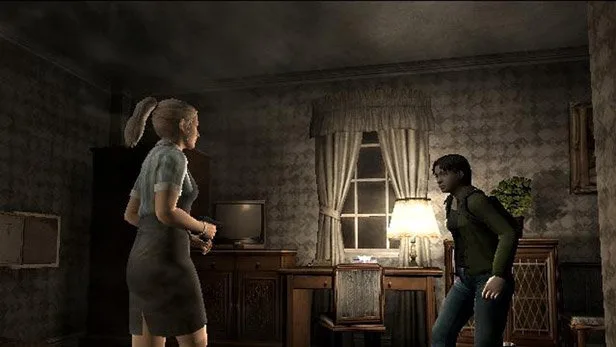
Learn how to attack, shove, combine items, and use items effectively in Resident Evil Outbreak. Essential combat and inventory tips.
Walkthrough
- 1To attack a monster, press and hold the R1 button to aim, then press the action button.
- 2You can aim up, down, left, or right using the D-pad while holding R1.
- 3Press L1 while holding R1 to switch targets.
- 4If no weapon is equipped, your character will shove using their shoulder to create space.
- 5To reload a weapon, combine ammunition and the weapon in the Inventory Screen or tap the L1 button.
- 6Some objects can be shoved along the ground to create routes or barricades by standing beside them and holding the D-pad in the object's direction.
- 7To climb, press the action button next to a ladder, ledge, or climbable object.
- 8Some background interactive objects can be fired at to create an impact on monsters.
- 9To pick up an item, walk up to it and press the action button, then choose to pick it up or not. You must have space in your inventory.
- 10To use an item, stand in the correct place, face the right direction, go to the Inventory Screen, select the item, and choose "USE".
- 11To combine items, go to the Inventory Screen, highlight one item, choose "COMBINE", and select the second item.
- 12To equip an item, go to the inventory screen, press the action button, choose "EQUIP", and then exit to the main game.
Tips
- Shoving from behind can open up more space.
- The L1 button can act as a 'refresh' button for fast aiming when only one enemy is present.
- Pole-type melee weapons may 'bounce' off walls if there isn't sufficient space, preventing an attack.
- Shoving will be terminated if there are obstacles in the way.
- Only some items can be shoved or climbed onto.
- You can stop zombies from entering a room by shoving against the door.
- Firing at background interactive objects is recommended from a distance with a gun due to the impact.
- Most useful items will 'shine' to make them easier to detect.
- Highlighting an item in the inventory slot provides a short description with clues on its use.
- Combining items can free up inventory slots.
- Certain characters can store or create new items using their 'special containers'.
- Some items can only be combined by specific characters.
- After equipping an item, you can aim it by holding R1 or R2 and use it with the action button.
100% Human-Written. AI Fact-Checked. Community Verified. Learn how AntMag verifies content