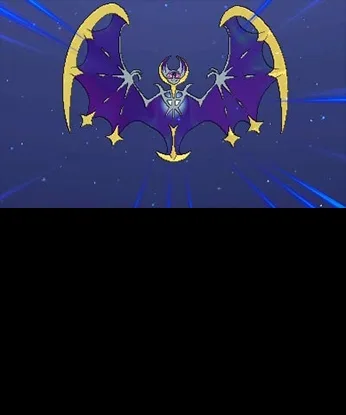
Learn how to battle and trade with friends locally or online in Pokémon Sun and Moon using Quick Link and Festival Plaza. Discover Battle Spot, GTS, and Wonder Trade!
Hey there! So you're ready to dive into battling and trading in Pokémon Sun and Moon? Awesome! It's a huge part of the fun. Let's break down how to connect with other players, whether they're right next to you or across the globe.
Playing Locally:
If you've got a friend nearby who also has the game, the easiest way to connect is through Quick Link. Just hit the X button on the field to bring up the menu, select Quick Link, and you'll both be prompted to tap the bottom screen or hold A to connect wirelessly. It's super fast, usually just a few seconds!
Once connected, one of you can choose to set up a Link Battle (either Single or Double) or a Link Trade. Easy peasy!
For when there are more folks around, or you just want more options, you can use the Festival Plaza. Access it from the main menu, then tap the big “Battle” or “Trade” buttons on the bottom screen. If you pick “Link Battle,” you'll see options for Single, Double, Multi Battle, or even a Battle Royal. After that, the Guest List pops up, showing everyone nearby and people you've recently met. Just pick a player whose name is solid black (meaning they're available) and send them a request. They've got about 30 seconds to accept before it times out.
Playing Online:
Ready to take on the world? You'll again use the Festival Plaza for online play. From the main menu, head into the Festival Plaza and tap the bottom-right icon to connect to the Internet. Make sure to save your game first!
Just like with local play, you'll tap “Battle” or “Trade” on the bottom screen. For players you know, select “Link Battle” or “Link Trade.” When the Guest List appears, online players will have solid black names, while those who are busy or unavailable will be greyed out. Find your friend and send that request!
But wait, there's more! While online, the Festival Plaza offers some really cool ways to connect:
- Visit the Battle Spot: This is where you can jump into free battles, rating battles, or even online competitions against players from all over. You might need a Pokémon Global Link account for some of these.
- GTS (Global Trade Station): Looking for a specific Pokémon or want to offer one up? The GTS lets you upload your Pokémon for trade or search for others. It's perfect when you don't know anyone directly to trade with.
- Wonder Trade: Want a surprise? Wonder Trade connects you instantly with a random player anywhere in the world for a trade. It's a fun way to get new Pokémon if you don't have friends online or just want to see what you get!
So, whether you're battling a buddy next to you or trading with someone across the globe, Pokémon Sun and Moon makes it super accessible. Have fun connecting!
100% Human-Written. AI Fact-Checked. Community Verified. Learn how AntMag verifies content